Bluesky
How to add Bluesky to RedPanda with an app password.
Connect your agent today
Draft from chat, review in your calendar, and publish only what you approve.
Overview
Note
Operators and self-host installs do not register a Bluesky developer app or add Bluesky client secrets to the backend. Each account just pastes their own credentials in the dashboard.
You connect with your handle or email and an app password from Bluesky settings.
You also enter a Service URL so RedPanda can reach and autofill the host url for your account.
Danger
Anyone with the app password can post as that Bluesky account. Revoke it in Bluesky settings if it leaks, then reconnect the channel in RedPanda.
Note
RedPanda stores your credentials on the server in encrypted form. (see How RedPanda stores your credentials).
Create an app password
Open Bluesky settings
Sign in to Bluesky and open Settings -> Privacy and Security -> App passwords -> Add App Password.
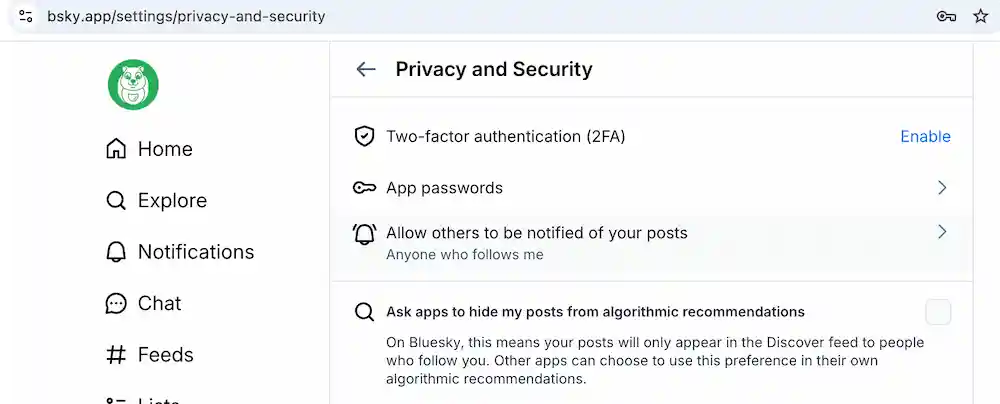
Generate an app password
Add a new app password:
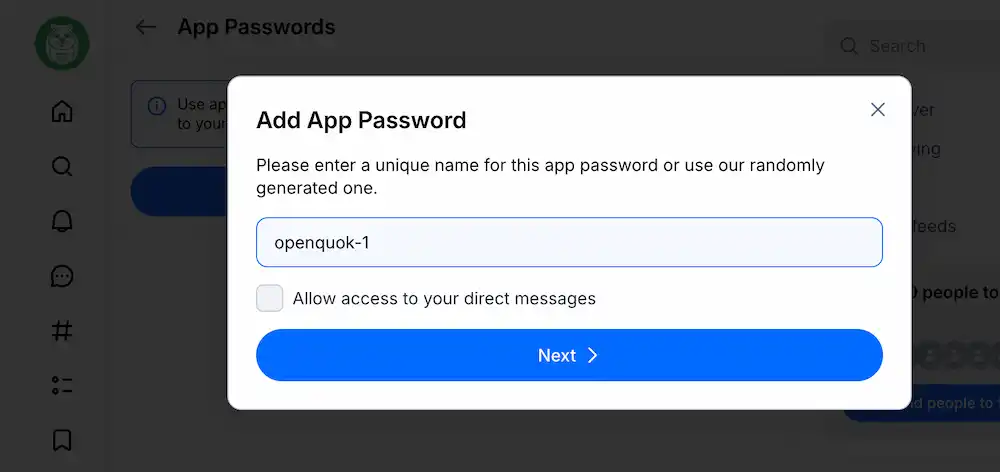
Click Next > -> Copy it once:
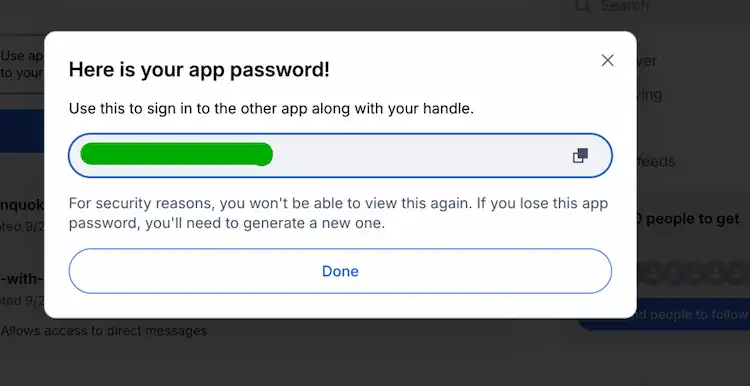
Tip
You can keep two-factor authentication enabled. Use an app password here — not your main account password.
Connect in RedPanda
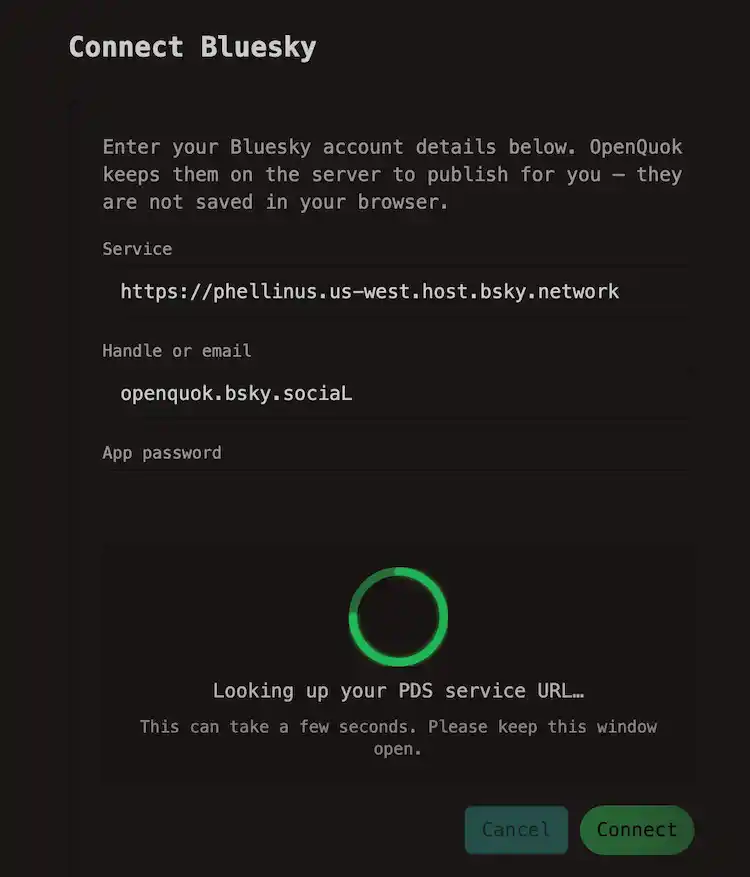
In the workspace, choose Add Channel → Bluesky. The form prefills Service with https://bsky.social. Enter your handle or email and the app password.
For example, you can check your handle at your Blue Sky Profile:
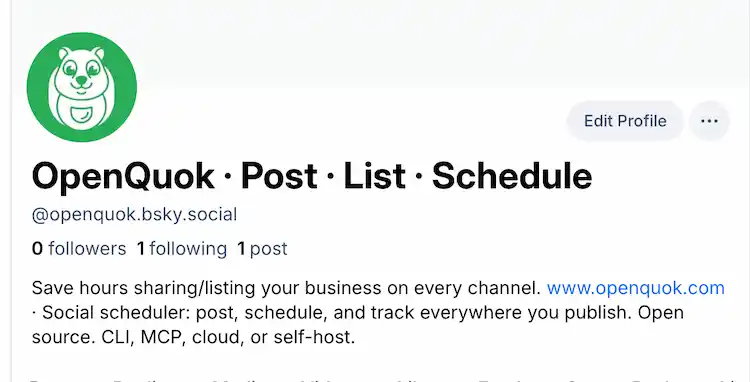
Tip
When you enter a handle, RedPanda resolves your Personal Data Server (PDS) and auto-fills Service. You can still edit Service before you connect. AT Protocol — network account management explains how account hosting on a PDS differs from connected apps (such as RedPanda) that publish with an app password.
Note
In this example, the handle does not include @. it is openquok.bsky.social, not @openquok.bsky.social.
Tip
To refresh an existing channel, open the same credentials form (Refresh connection on My Dashboard) — do not expect a platform OAuth redirect.
Media and thread rules
| Rule | Detail |
|---|---|
| Images | Up to 4 per main post or follow-up row |
| Video | 1 MP4 per post — not combined with images; max 300 MB and 10 minutes |
| Length | 300 graphemes per caption and per follow-up message when scheduling |
| Follow-ups | Configure in Follow-up comments — stored under bluesky.replies for API and CLI |
| Compose settings | Link card, quote post, and thread gate — see Per-channel settings → Bluesky |
Note
See Media rules, Threads and comments, and Global plugs.
Features
Supported
| Feature | Details |
|---|---|
| Connect | App password from Bluesky settings (works with two-factor authentication enabled) |
| Caption | Plain text up to 300 graphemes; text-only posts are valid |
| Media | Up to four images or one MP4 per post — never mixed |
| Alt text | Taken from media details when you set it in the composer |
| Links and mentions | @handle and URLs in the caption become rich-text facets at publish time |
| Optional link card | Text-only posts: Link card URL (+ optional title/description) in composer Settings — not with media or a quote |
| Quote post | Optional bsky.app post URL in Settings — not with media or a link card |
| Who can reply | Thread gate in Settings (everyone, mentioned, following, followers, or nobody) |
| Follow-up replies | Same-account replies after the main post, with optional media on reply rows |
| Mentions | Composer autocomplete searches actors and inserts @handle |
| Global plugs | Auto-repost and auto-plug when likes cross a threshold — configure on the channel Plugs tab |
| Workspace analytics | Account-level likes, replies, reposts, and quotes by day (public App View author feed) |
| Per-post statistics | Likes, replies, reposts, and quotes for a published post (AT Protocol post URI) |
Tip
CLI walkthroughs: CLI Examples — Bluesky.
Not supported
| Feature | Notes |
|---|---|
| Operator OAuth app | No RedPanda env keys; users paste credentials in the dashboard |
| Public OAuth connect | Dashboard only |
| Cross-account plugs | Same-account follow-ups only — no comment-from-another-channel plugs |
How RedPanda stores your credentials
Bluesky is built on the AT Protocol. Your account data lives on a Personal Data Server (PDS). The default host for most handles, or another public HTTPS server when you use a custom domain or self-hosted PDS.
RedPanda must store a reversible app password and service details so publish workers can sign in.
Bluesky’s safe pattern is an app password, not your main login: you create it in settings, scope it to connected apps, and revoke it without changing your account password.
Note
| Layer | What happens |
|---|---|
| Browser | Service URL, handle, and app password entered once in Add Channel — not kept in localStorage |
| APIs | Connect and list responses omit token fields |
| Database | service, identifier, and password encrypted with AES-GCM when INTEGRATIONS_TOKEN_ENCRYPTION_KEY or SECURITY_SECRET is set |
For a handle or did:…, RedPanda resolves the PDS from the identity record and updates Service when you leave the handle field. Email logins keep the Service you enter (usually https://bsky.social). Only public HTTPS Service URLs are accepted — private, loopback, and link-local hosts are rejected.